NCSoundlab
Mobile
Not a companion app. The full workstation, reflowed for a touch screen and installed to your home screen.
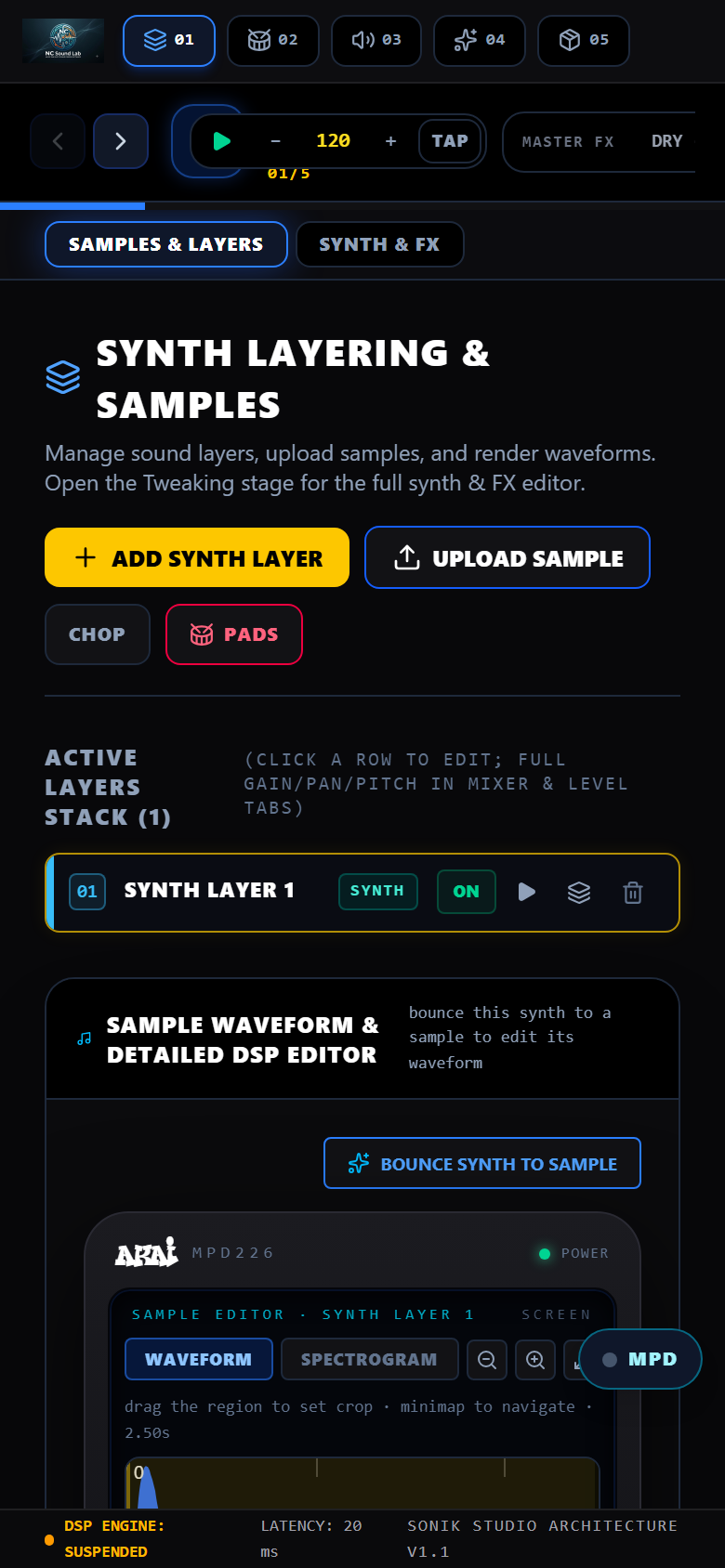
NCSoundlab Mobile is the same build as the desktop lab served to a phone viewport: stages, rack, sample editor and sequencer. It installs as a PWA and keeps projects in device storage, with no account and no upload.
- InstallAdd to home screen, no store
- LayoutTouch targets, sticky transport
- StorageDevice-local projects
- OfflineAfter first load, via PWA cache
Free in beta · $5 now · $3 member preorder
Why a phone build, not a companion
A companion app usually means a stripped sketchpad and a bounce step. This is the same application: the stage rail becomes a horizontal tab strip, the mixer becomes a paged strip, and the sample editor gets pinch-zoom and draggable crop handles. Everything that exists on the desktop build exists here, including the rack and the Combinator.
Working on a small screen
The transport stays pinned at the top with tempo, tap, play and master A/B. The stage tabs stay under it. Content below scrolls: layers, waveform, rack slots. The MPD button opens the pad sheet for finger drumming without leaving the page. In the sample editor the waveform fills the width and the selection handles are 24 px, so a crop is possible without a stylus.
Adding a synth layer, uploading a sample, chopping and bouncing all work with touch. Long lists use the phone's momentum scrolling; nothing is a canvas-only gesture that needs a mouse.
Storage and offline behaviour
Projects and samples live in the browser's origin storage (IndexedDB where available). The service worker caches the app shell after the first load, so the lab opens with no signal. A cached app is not a backup: clearing browser data deletes the projects. Export a project archive or the stems you care about before you clear site data or switch phones.
The phone entry at /field is the capture-first path — see Field. Use it when you want the pre-roll recorder rather than the full stage rail; both write the same .ncbeat package.
Audio on mobile browsers
iOS and Android both require a user gesture before audio starts; press play once after loading. Bluetooth output adds latency the engine cannot compensate for, so use wired headphones or the phone speaker for timing-critical work. The limiter and loudness meter are still active; only the monitoring path changes.
Beta limits
Backgrounding the browser can suspend the audio context; the transport pauses rather than drifting. Very large sample sets can hit per-origin quota on iOS sooner than on desktop. The Windows installer remains the recommended path for final mixes; the phone build is for capture, sound design and arrangement on the go.